Blender插件下载-AI智能渲染优化插件 RenderMind Pro V6.0.0
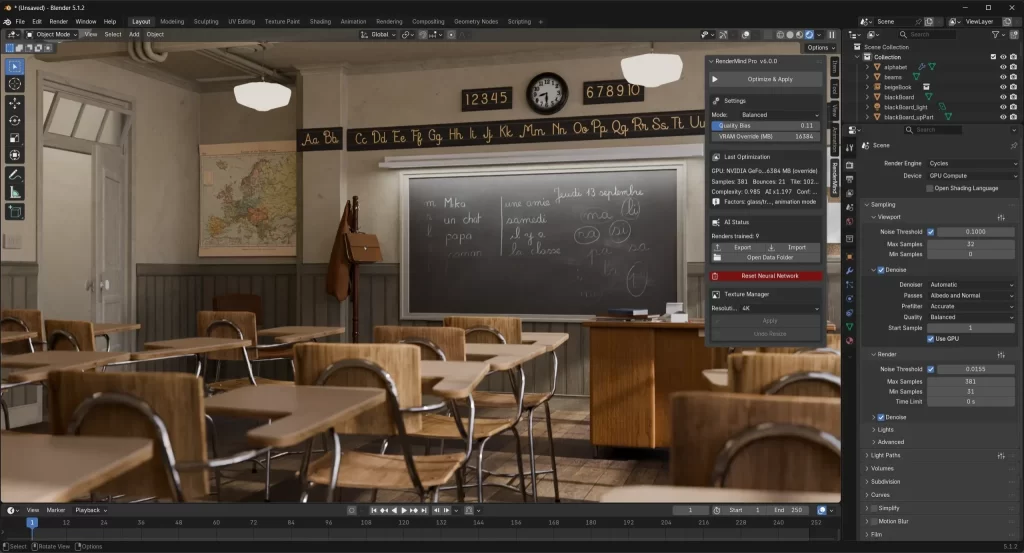
RenderMind Pro是一款专为Blender Cycles渲染器打造的AI智能渲染优化插件,通过内置神经网络自动学习渲染习惯和场景特征,为不同类型的场景智能推荐和优化渲染参数。无需依赖云端服务,所有训练过程均在本地离线完成,随着渲染次数增加,插件会不断积累经验,让渲染设置越来越精准,有效减少反复测试参数所耗费的时间。
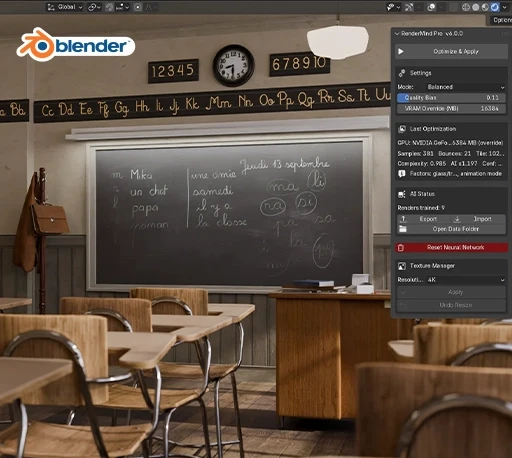
插件能够在每次F12渲染结束后自动分析最终图像噪点,并以实际渲染结果作为训练数据持续优化模型,同时根据显卡VRAM使用情况智能调整Tile Size,降低因显存不足导致渲染中断的风险。界面还可实时显示模型学习状态(Improving、Stable、Worsening),并支持导出训练模型进行备份或迁移到其他设备使用。RenderMind Pro 适用于建筑可视化、产品渲染、角色动画、影视 CG 等各种Cycles渲染工作流程,是提升Blender渲染效率、减少参数调试时间的智能辅助工具。
Cycles settings are a mess. Every scene is different — a glass-heavy interior needs completely different bounces and samples than a character render. You either copy settings from a tutorial, spend 20 minutes tweaking, or just guess and wait.
RenderMind learns what works for your scenes on your hardware. Render as you normally would, and it quietly trains in the background after each F12 — building a model of what settings actually performed well for you, not generic presets, not someone else’s workflow.
安装步骤:
Blender 4或者低版本
打开软件,顶部菜单点击 编辑(Edit) → 偏好设置(Preference) → 插件(AAdd-ons) → 安装(Install) ,在弹出的窗口里选择插件zip文件安装
Blender 4.1或者高版本
打开软件,在顶部菜单编辑(Edit)→ 偏好设置(Preference)→ 插件(Add-ons),右上角下拉,选择从磁盘安装,在弹出的窗口里选择插件zip文件安装
支持Blender 4.2 – 5.1